Sorted on your home screen
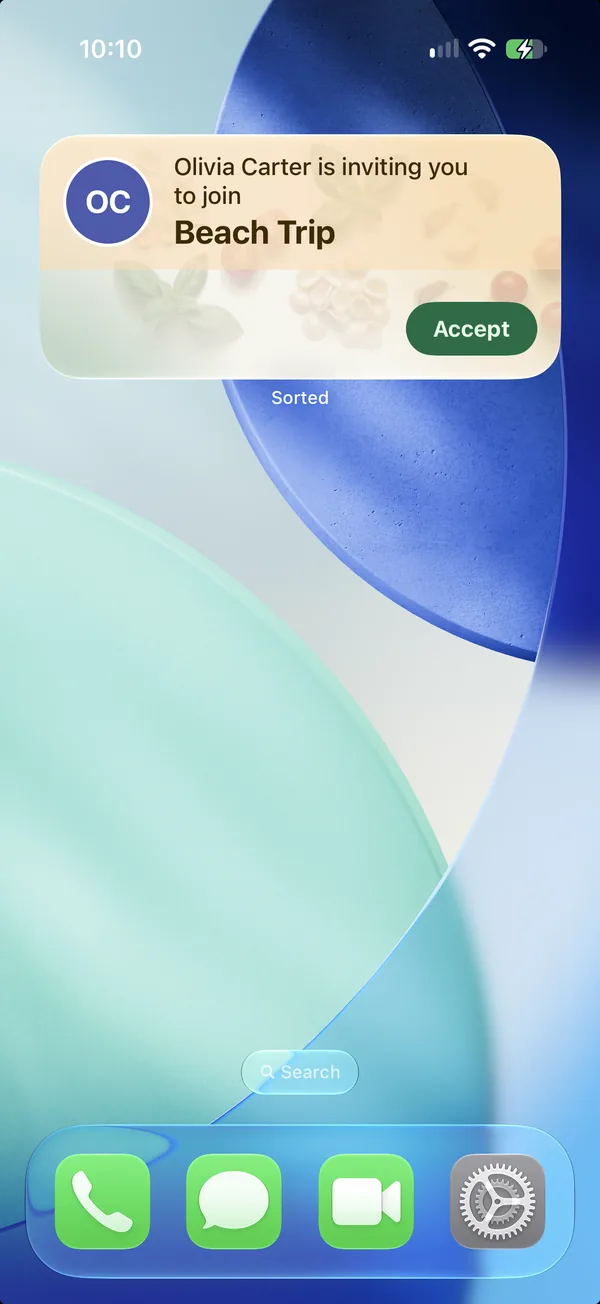
The widget shows the one thing that matters right now. An invite waiting for you. The list you opened this morning, with its items to tick. The jar that is nearly empty. Tonight's recipe.
It is the same card on iPhone and Android, and it never fetches anything on its own, so it costs nothing in battery.


Free on iPhone and Android.
How it works
- 1
One card, by priority
An invite comes first, then the list you have open, then running low, then tonight's recipe.
- 2
Tick from the home screen
Items on the list card can be ticked without opening the app.
- 3
iPhone and Android
A widget on both platforms, in the sizes each one offers.
Good to know. The widget is free. Cards for running low and tonight's recipe show when those Premium features are on.
Questions about home screen widget
- Why does the widget show a list only after I open it?
- The widget shows what the app already holds and never downloads on its own. Open a list once and it stays on the card.
Goes with
- Running lowSorted learns how often you buy things and tells you before something runs out.Read more
- Recipe ideasAfter every shop, what you bought becomes recipes with a photo and the steps.Read more
- Shared listsShow a QR code or send a link. Whoever opens it joins, and the list is theirs too.Read more
Get Sorted on your phone
Make a list, add three things, invite whoever shops with you.
Free on iPhone and Android.