One list for everyone you plan with
Groceries for the week, a bag to pack, the things to do before the party. Everyone adds from their own phone, and the list sorts itself as you type.
Coming soon to iPhone and Android. Free to list, sort and share. No ads, and nothing is sold.


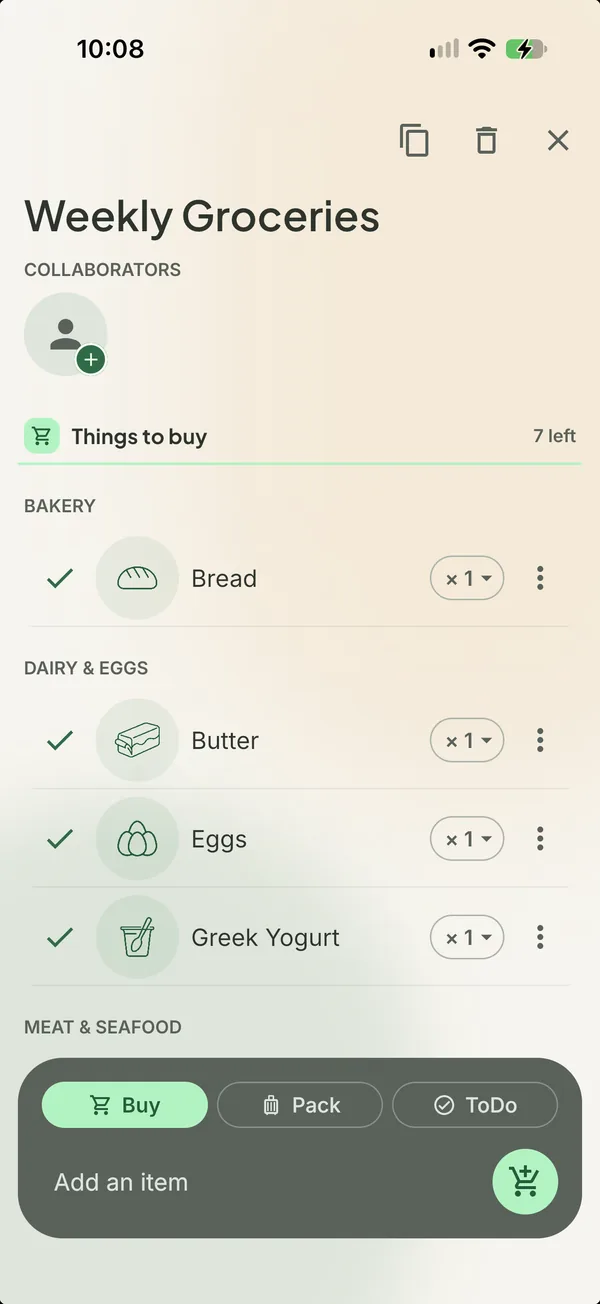
The weekly shop, settled before anyone leaves the house
Somebody notices the milk is gone and adds it from the couch. Someone else remembers tortillas on the bus. By Saturday the list is done, already in the order of the store.
- Everyone adds from their own phone, to the same list
- Items land in their store section as you type, each with a drawn icon
- Tick it bought and it is gone for everyone

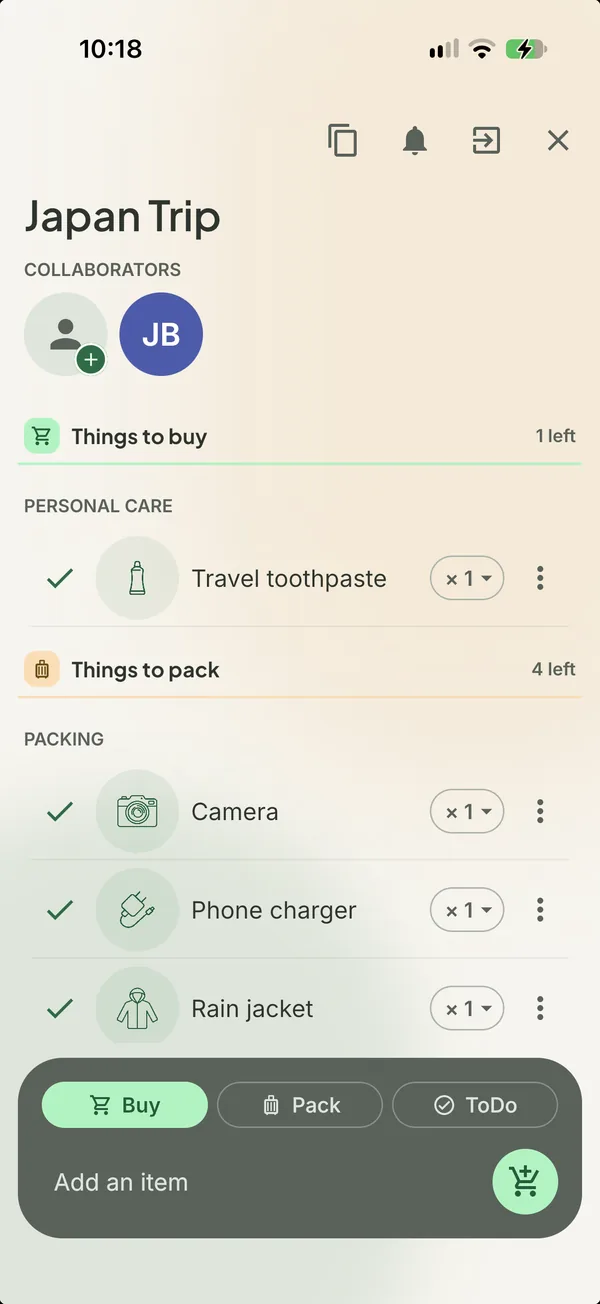
Not just groceries. The trip, the party, the move.
A trip is a passport to find, a jacket to pack, a rail pass to print and snacks to buy. Sorted keeps all of it on one list, and each thing goes to its own pile once it is done.
- Mark an item Buy, Pack or Do as you add it
- Bought things go in the cart, packed things in the bag, finished things in done
- Duplicate the list for the next trip or the next birthday

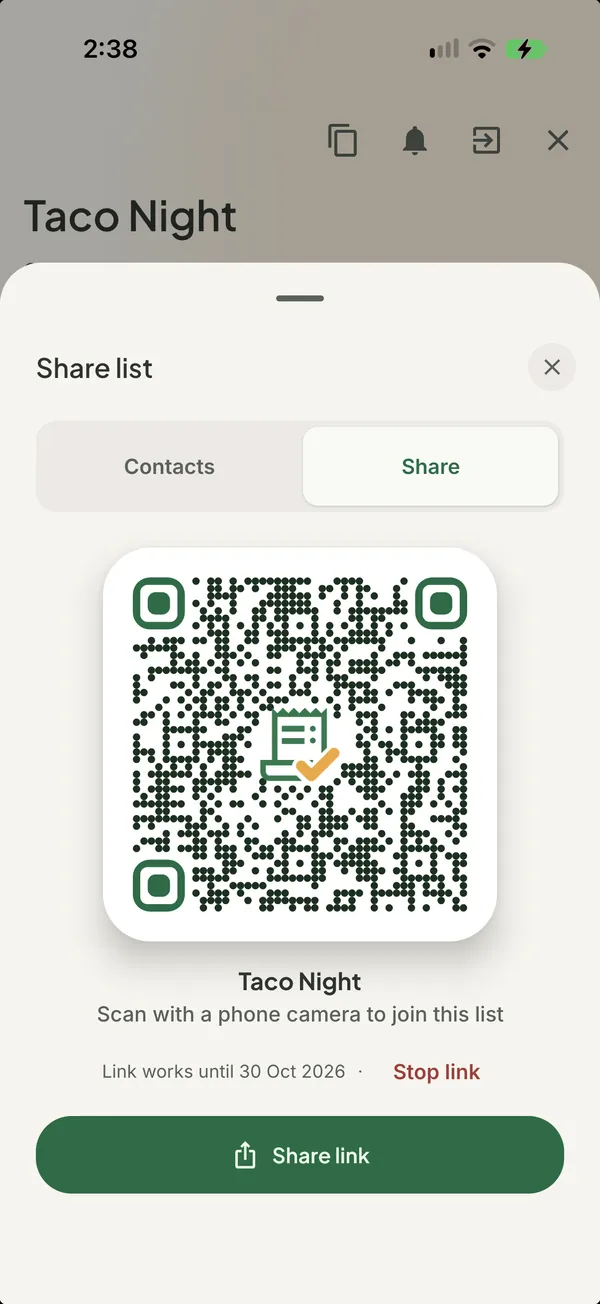
Share with anyone, in a tap.
Show a QR code or send a link to your partner, your roommates or the whole family. From then on the list is on every phone, and you can see who added what and what has already been bought.
- Share with a QR code, or a link in any messaging app
- See who added each item and who bought it
- Leave a list any time, and keep your own lists as they were

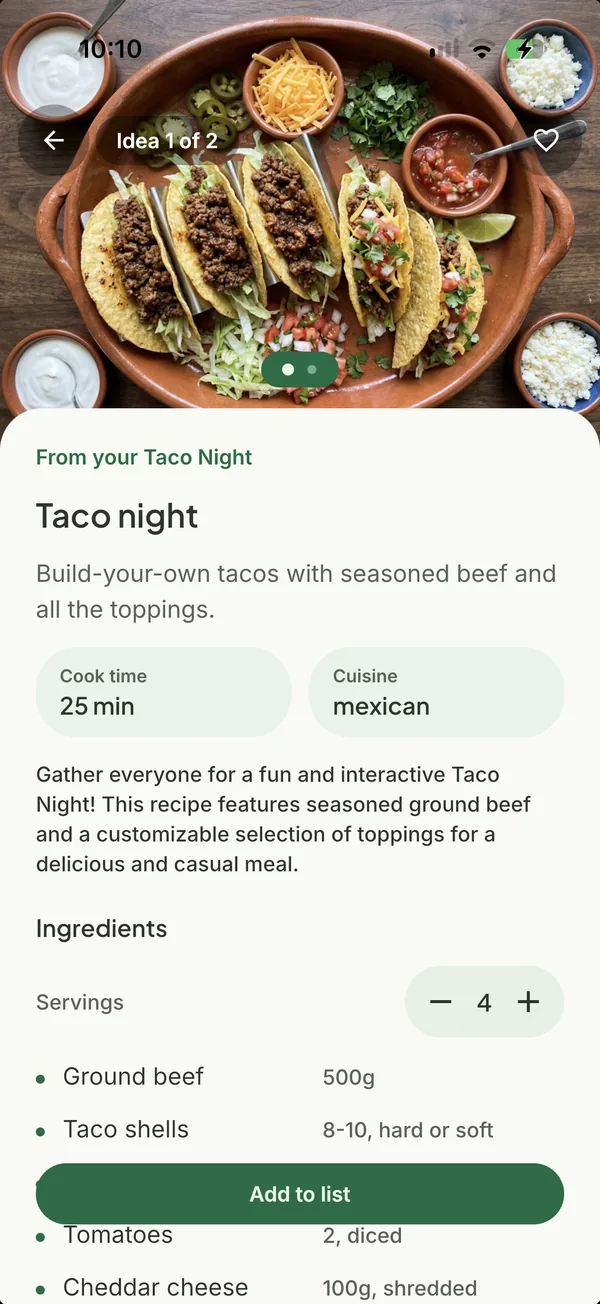
Dinner is already answered
After every shop, Sorted turns what you bought into recipes with a photo and the steps. The cookbook grows with every trip, and any recipe goes back into a list with one tap.
- Recipes made from your own shopping trips
- Photo, ingredients and steps, large enough to cook from
- One tap puts the ingredients on a list, already sorted
More on thisPart of Sorted Premium
A nudge before you run out
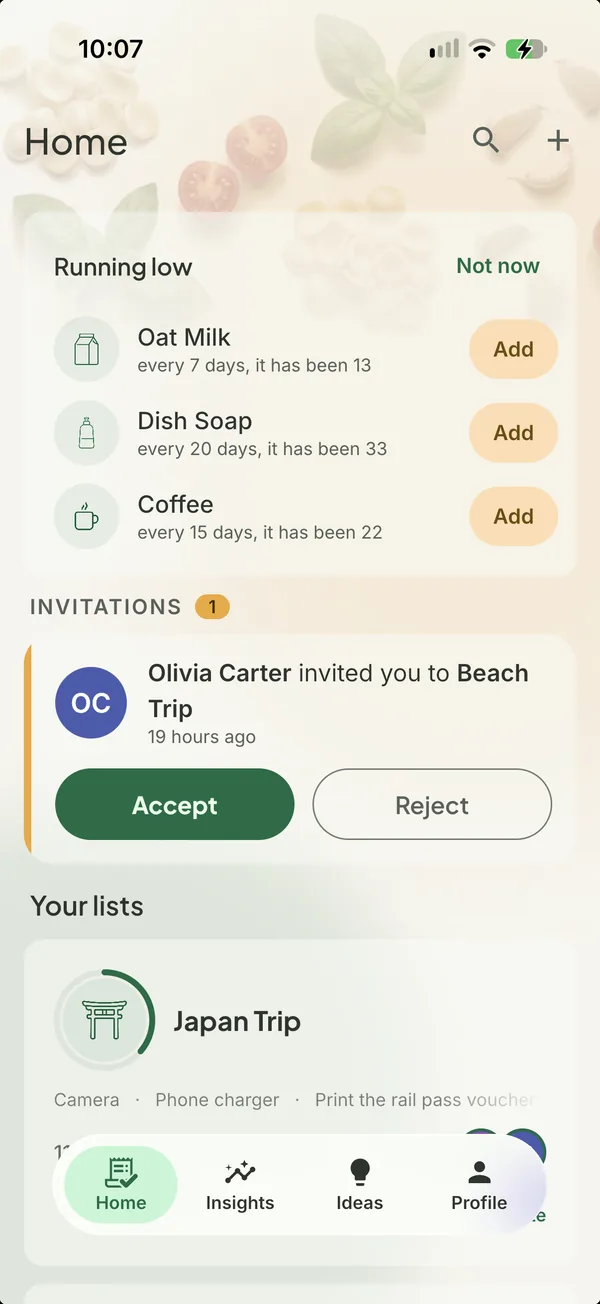
Coffee goes every three weeks, dish soap every six. After a few trips Sorted knows the rhythm of your house and says so before the jar is empty, on Home and on the widget.
- Running low, learned from what the household buys
- Insights on what you buy most and how often
- The widget shows what matters now, without opening the app
More on thisPart of Sorted Premium
Made for the everyday plan
Everything in Sorted exists because a household needed it on a Tuesday.
Shared lists
Show a QR code or send a link. Whoever opens it joins, and the list is theirs too.
Sorted by aisle
Items land in their store section as you type, each with its own drawn icon.
Buy, pack and do
Groceries, a trip, a party or a move. Every item is something to buy, pack or do.
Recipe ideas
After every shop, what you bought becomes recipes with a photo and the steps.
Running low
Sorted learns how often you buy things and tells you before something runs out.
Insights
What you buy most, how often, and the trips behind every number.
Home screen widget
Invites, what is running low and tonight's recipe, without opening the app.
Works offline
Add, tick and edit without a signal. Everything syncs when you are back.
iPhone and Android. One account, every list on both.
Sign in with Google, Apple or email. Your lists, your household and your Premium follow you to whichever phone is in your hand.
Free on iPhone and Android.
Questions people ask
What is Sorted?
Sorted is a shared list for your household. Add what you need, share it with the people who shop, and every change lands on every phone the moment it happens. Items sort themselves by store section as you type.
Is Sorted free?
Yes. Lists, sharing, sorting and icons are free. Premium adds recipe ideas, running low alerts, suggestions from your history and all-time Insights.
What does Premium add?
Recipe ideas after every shop, a nudge before something runs out, suggestions from your own history while you type, and Insights over all of your history. One yearly subscription covers you and one other person.
Can I use it for things other than groceries?
Yes. Every item is something to buy, to pack or to do, so one list can hold a trip, a party or a move alongside the groceries.
How does sharing work?
Open a list, tap Share, and show the QR code or send the link in any messaging app. Whoever opens it joins, and the list is theirs too. You can see who added what and what has been bought.
Does it work without a signal?
Yes. Add, tick and edit offline. Everything syncs when you are back.
Which phones does Sorted run on?
iPhone and Android. One account, and every list on both.
How do I delete my account?
From Profile in the app, in one tap, which removes your account and all of its data. You can also ask by email from the delete account page.

Start the list tonight
Make one list, add the first three things, and invite whoever shops with you.
Free on iPhone and Android.